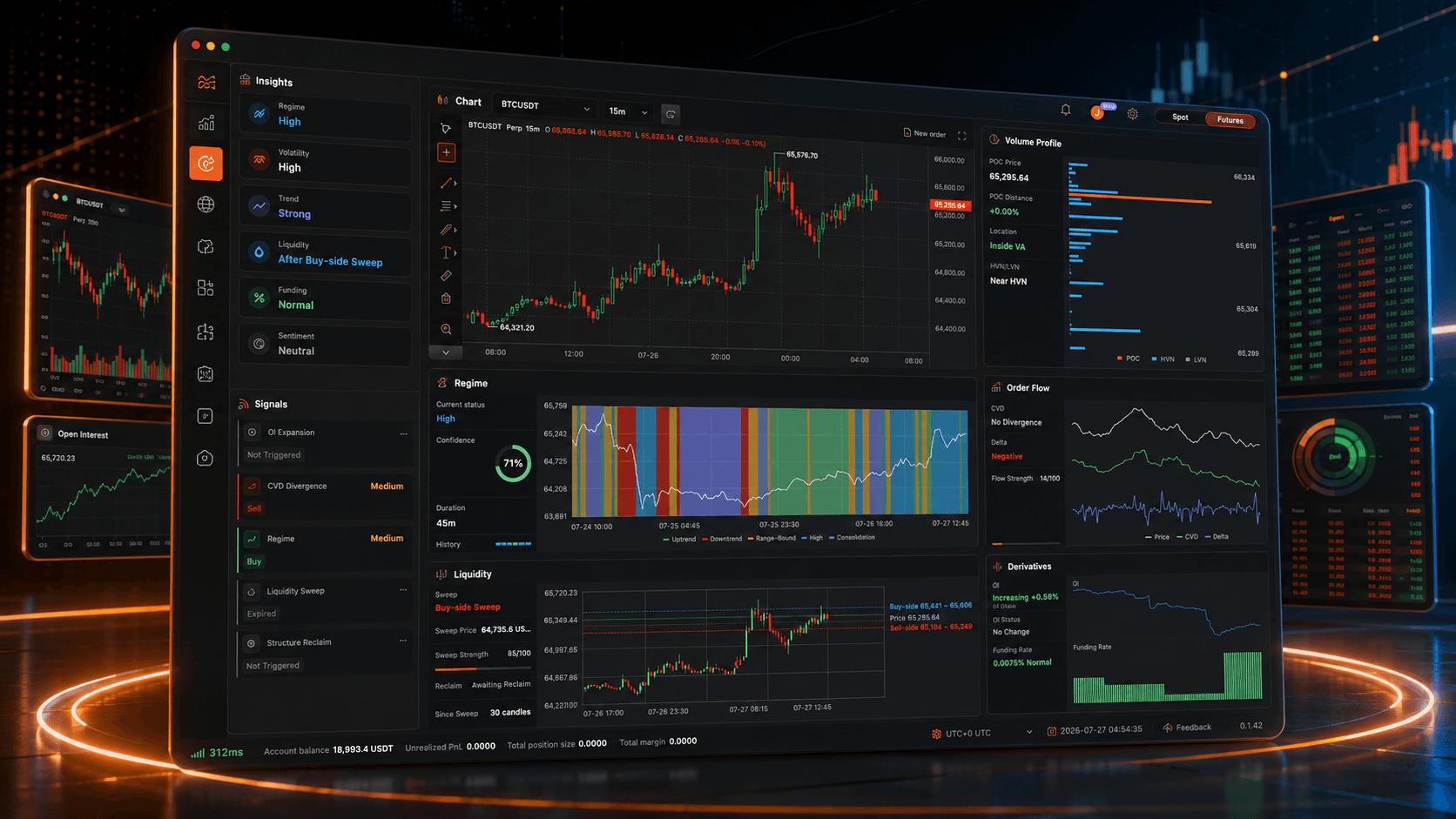

To help users study Blueprint signals more flexibly and quickly evaluate how the same trading logic performs in the opposite direction, NavaX introduces the Reverse Entry feature for both Blueprint Backtesting and Blueprint Trading.
When Reverse Entry is enabled, NavaX does not modify any indicators, conditions, or signal evaluation logic within the Blueprint. Instead, after the Blueprint generates an entry signal, NavaX simply reverses the direction of the order before execution.
In simple terms:
- When the Blueprint generates a Long Entry signal, NavaX opens a Short Position.
- When the Blueprint generates a Short Entry signal, NavaX opens a Long Position.
This feature is available in:
- Blueprint Backtesting
- Blueprint Trading
Users can first compare the results of normal execution and Reverse Entry during backtesting, then decide whether to enable the feature in Blueprint Trading.
What Is Reverse Entry?
Reverse Entry reverses the direction of entry signals generated by a Blueprint.
Suppose a Blueprint originally follows this trading logic:
Long conditions are met → Open Long Position

Short conditions are met → Open Short Position
After Reverse Entry is enabled, the actual execution becomes:
Long conditions are met → Open Short Position

Short conditions are met → Open Long Position
Reverse Entry changes only the final entry direction.
It does not automatically modify:
- Indicator parameters
- Trading conditions
- Signal evaluation logic
- Signal trigger locations
For example, suppose the Blueprint contains the following rules:
- Open a Long Position when EMA20 crosses above EMA50.
- Open a Short Position when EMA20 crosses below EMA50.
After Reverse Entry is enabled:
- EMA20 crossing above EMA50 opens a Short Position.
- EMA20 crossing below EMA50 opens a Long Position.
Therefore, Reverse Entry can be understood as:
Preserve the original Blueprint signals while reversing the execution direction of every entry order.
What Reverse Entry Is Not
Reverse Entry does not mean closing an existing position before opening a new position in the opposite direction.
It is also not an automatic position reversal feature.
The execution process is illustrated below.
NavaX Reverse Entry
Blueprint generates a Long Entry signal
            ↓
Reverse the signal direction
            ↓
Execute a Short Position
Reverse Entry affects only the execution direction of entry signals.
It does not automatically close existing positions or create new positions in the opposite direction.
Why Introduce Reverse Entry?
During strategy research, a poorly performing Blueprint does not necessarily mean its signals have no value.
Some Blueprints may exhibit characteristics such as:
- Long and short directions are configured incorrectly.
- Signals work better as contrarian signals.
- Signals display stronger reverse characteristics under specific market conditions.
- Trend-following conditions perform better as mean-reversion signals in ranging markets.
- Users want to quickly verify whether reversing signal direction improves performance.
Previously, users had to manually modify Long Entry and Short Entry nodes in the Blueprint Editor to test the opposite direction.
With Reverse Entry enabled, users can immediately evaluate reversed execution without modifying the Blueprint itself, reducing the effort required for strategy research and parameter validation.
Reverse Entry in Blueprint Backtesting
When Reverse Entry is enabled during Blueprint Backtesting, the backtesting engine preserves the original signal timing and trading conditions while reversing only the entry direction.
For example, assume the Blueprint generates a Long Entry signal on a particular candlestick.
Normal Execution
Blueprint generates a Long Entry signal
            ↓
Open Long Position
Reverse Entry
Blueprint generates a Long Entry signal
            ↓
Reverse the direction
            ↓
Open Short Position
If the Blueprint generates a Short Entry signal, Reverse Entry opens a Long Position instead.
This allows users to generate two directly comparable backtesting results without modifying the Blueprint.
Comparing Normal Entry and Reverse Entry
It is recommended to run two backtests using exactly the same settings.
First Backtest
Run the Blueprint normally and record the original results.
Second Backtest
Enable Reverse Entry, keep every other parameter unchanged, and run the backtest again.
The following parameters should remain identical:
- Trading pair
- Chart timeframe
- Backtest period
- Initial capital
- Position size
- Leverage
- Trading fee settings
After both tests are complete, compare metrics such as:
- Total Profit
- Return
- Maximum Drawdown
- Win Rate
- Profit Factor
- Number of Trades
- Trading Fees
- Long Position Performance
- Short Position Performance
- Maximum Winning Streak
- Maximum Losing Streak
Keeping all other parameters identical allows you to evaluate the impact of reversing entry signals more accurately.
Reverse Entry in Blueprint Trading
Reverse Entry can also be enabled when deploying a Blueprint for live trading.
After it is enabled, the Blueprint continues to calculate indicators and evaluate trading conditions using its original logic. Before an order is submitted, however, NavaX reverses the direction of the entry order.
The execution flow is as follows:
Blueprint calculates indicators and conditions
                ↓
Generate entry signal
                ↓
NavaX reverses the entry direction
                ↓
Submit the order using the reversed direction
The relationship between the original signal and the executed order is shown below.
Reverse Entry does not modify or overwrite the Blueprint itself.
If this option is disabled, the Blueprint immediately resumes executing trades according to its original entry direction.
How Does Reverse Entry Affect Exit Signals?
The primary purpose of Reverse Entry is to reverse the direction of entry orders.
Because the actual position direction changes, all subsequent position management—including Take Profit, Stop Loss, and Exit signals—must operate according to the actual position rather than the original signal direction.
For example, if the Blueprint originally generates a Long Entry signal but Reverse Entry opens a Short Position instead, all subsequent position management follows the rules of a short position:
- The Take Profit price is usually below the entry price.
- The Stop Loss price is usually above the entry price.
- Closing the position requires a Buy to Close order.
Conversely, if the Blueprint originally generates a Short Entry signal but Reverse Entry opens a Long Position:
- The Take Profit price is usually above the entry price.
- The Stop Loss price is usually below the entry price.
- Closing the position requires a Sell to Close order.
NavaX automatically executes all position management based on the actual position direction.
However, users should still verify through backtesting that the Blueprint's Take Profit, Stop Loss, and position management logic remain appropriate after Reverse Entry is enabled.
Blueprints With Consistently Negative Performance
If a Blueprint consistently performs poorly across multiple market cycles over an extended period, Reverse Entry can help determine whether its signals have value as contrarian trading signals.
However, keep in mind that reversing a losing strategy does not guarantee profitability.
Trading fees, slippage, Take Profit settings, Stop Loss settings, and execution prices all influence the final results.
Blueprints With Incorrect Long/Short Direction
If the overall trading logic appears reasonable but the entry direction may have been configured incorrectly, Reverse Entry provides a fast and convenient way to verify the assumption without modifying the Blueprint.
Range-Trading Blueprints
Some trend-following signals naturally behave as contrarian signals during ranging markets.
Reverse Backtesting allows users to evaluate whether these signals perform better under a mean-reversion approach.
Signal Research Blueprints
If the primary objective is to study how a specific combination of indicators relates to future price direction, Reverse Entry provides an efficient way to compare normal and reversed execution results.
When Should You Not Rely Solely on Reverse Entry?
Reverse Entry is a research and execution option.
It should not replace proper analysis and optimization of the Blueprint itself.
Use additional caution in the following situations.
The Blueprint Uses Future Data or Repainting Signals
If the Blueprint relies on future data, unconfirmed data, or repainting indicators, reversing the entry direction cannot solve the underlying reliability problem.
The Strategy Becomes Unprofitable After Trading Fees
If the strategy appears profitable before trading fees but loses money after fees are included, Reverse Entry usually will not solve problems caused by excessive trading frequency.
Poor Take Profit or Stop Loss Settings
If the original position management parameters are unsuitable for the reversed position direction, simply reversing entries may produce undesirable exit behavior.
Signals Without a Stable Directional Edge
If the trading signals behave almost randomly, neither normal execution nor Reverse Entry is likely to produce stable long-term performance.
Insufficient Backtesting Period
Short backtesting periods can be heavily influenced by a single market condition.
Strategies should always be tested across multiple market environments and sufficiently long historical periods before drawing conclusions.
Reverse Entry Does Not Reverse the Entire Strategy
Reverse Entry changes only the direction of entry orders.
It does not automatically reverse every aspect of the Blueprint.
The following elements remain unchanged:
- Indicator parameters
- Entry conditions
- Signal timing
- Position size
- Leverage
- Position scaling rules
- Cooldown periods
- Maximum number of positions
- Time-based exit conditions
- Risk management settings
Therefore, Reverse Entry is more accurately defined as:
Reverse the final entry direction generated by the Blueprint, not rewrite the entire trading strategy.
Does Reverse Entry Change When Signals Are Generated?
No.
After Reverse Entry is enabled, the Blueprint continues to generate signals at exactly the same time and price as before.
Only the final execution direction changes.
For example, suppose the original Blueprint generates a Long Entry signal when BTCUSDT reaches 60,000 USDT:
- Normal Mode: Open a Long Position at the signal.
- Reverse Entry Mode: Open a Short Position at the same signal.
Therefore, normal and reverse backtests usually produce signals at identical timestamps. The difference lies only in the position direction and the resulting trading performance.
Long-Only Blueprints
If a Blueprint contains only Long Entry signals, enabling Reverse Entry causes every Long Entry to be executed as a Short Position.
From an execution perspective, the Blueprint effectively becomes a Short-Only strategy.
Short-Only Blueprints
If a Blueprint contains only Short Entry signals, enabling Reverse Entry causes every Short Entry to be executed as a Long Position.
From an execution perspective, the Blueprint effectively becomes a Long-Only strategy.
Long & Short Blueprints
If a Blueprint supports both long and short trading, enabling Reverse Entry swaps both directions:
- Long Entry → Short Position
- Short Entry → Long Position
Possible Effects on Backtest Results
Enabling Reverse Entry may significantly change the outcome of a backtest.
Return May Change
Trades that were previously profitable may become losing trades, while previously losing trades may become profitable.
However, because of Take Profit, Stop Loss, trading fees, slippage, and market price movement, the results are rarely a perfect mirror image of the original strategy.
Win Rate May Change
If the original strategy frequently predicts the wrong market direction, Reverse Entry may improve the Win Rate.
Conversely, if the original strategy already has a statistical edge, enabling Reverse Entry may reduce the Win Rate.
Profit Factor May Change
Long and short markets often exhibit different price behavior and volatility characteristics.
As a result, the average profit and average loss after reversing the entry direction are not necessarily symmetrical.
Maximum Drawdown May Change
Reverse Entry may reduce drawdown—or increase it significantly.
This is especially true in markets with strong long-term trends, where long and short strategies have inherently different risk characteristics.
Trading Fees Usually Remain Similar
If the number of trading signals does not change, enabling Reverse Entry generally does not reduce the number of trades or the total trading fees.
Backtest Before Live Trading
Always test Reverse Entry in Blueprint Backtesting before enabling it in Blueprint Trading.
Only consider using it in live trading after confirming that the reversed strategy demonstrates stable and consistent performance.
Don't Focus Only on Total Return
Besides total profit, compare other important performance metrics, including:
- Maximum Drawdown
- Win Rate
- Profit Factor
- Maximum Losing Streak
- Trading Fees
- Performance across different years
- Performance across different trading pairs
- Long-side and Short-side performance
A comprehensive comparison provides a much more reliable evaluation than total return alone.
Test Across Multiple Market Conditions
For more reliable conclusions, test the strategy under different market environments, including:
- Bull markets
- Bear markets
- Sideways markets
- High-volatility markets
- Low-volatility markets
Verify Take Profit and Stop Loss Behavior
After enabling Reverse Entry, confirm that all Take Profit and Stop Loss calculations continue to work correctly according to the actual position direction.
Start With Small Position Sizes
Even if backtesting results are encouraging, it is recommended to begin live trading with relatively small position sizes to verify that orders are executed correctly under real market conditions.
Will Enabling Reverse Entry Modify the Blueprint?
No.
Reverse Entry is an independent execution option used during Blueprint Backtesting or Blueprint Trading. It does not modify the Blueprint itself, including its nodes, indicators, conditions, or parameters.
Will the Original Direction Be Restored After Reverse Entry Is Disabled?
Yes.
Once Reverse Entry is disabled, the Blueprint immediately resumes executing trades according to its original entry direction.
Will Every Long Entry Become a Short Position?
Yes.
When Reverse Entry is enabled, every Long Entry signal generated by the Blueprint is executed as a Short Position.
Will Every Short Entry Become a Long Position?
Yes.
Likewise, every Short Entry signal generated by the Blueprint is executed as a Long Position.
Does Reverse Entry Automatically Close Existing Positions?
No.
Reverse Entry does not mean "close the current position and immediately open an opposite position."
Its only purpose is to reverse the direction of newly generated entry signals.
Whether a new position can actually be opened still depends on factors such as:
- Position limits defined by the Blueprint
- The current position status
- The account position mode supported by the exchange
If Reverse Entry Is Enabled During Backtesting, Will It Also Be Enabled for Blueprint Trading?
No.
The Reverse Entry settings for Blueprint Backtesting and Blueprint Trading are completely independent.
If you want to use Reverse Entry in live trading, you must enable it separately when deploying the Blueprint.
Why Is the Strategy Still Losing Money After Reversing the Entry Direction?
Possible reasons include:
- Trading fees and slippage are too high.
- The original Take Profit and Stop Loss settings are unsuitable for reversed positions.
- The trading signals have little or no statistical edge.
- The strategy trades too frequently.
- Long and short market structures behave differently.
- The backtesting period is too short.
- The Blueprint contains other logical or design issues.
Reverse Entry is not intended to guarantee profitability. It is a tool for research, comparison, and strategy evaluation.
Can Reverse Entry Replace Editing the Blueprint?
Not entirely.
Reverse Entry is designed for quickly testing or executing the opposite trading direction.
If reverse execution consistently performs better over different market conditions and long testing periods, you should still consider optimizing the Blueprint itself, including:
- Strategy logic
- Signal design
- Position management
- Risk management rules
This usually produces a more robust strategy than relying solely on Reverse Entry.
Summary
The Reverse Entry feature in NavaX allows users to reverse the final entry direction generated by a Blueprint without modifying the Blueprint itself.
When enabled:
- Long Entry → Open Short Position
- Short Entry → Open Long Position
Reverse Entry is supported in both Blueprint Backtesting and Blueprint Trading, allowing users to quickly compare normal and reversed execution using the same Blueprint.
It is important to understand that Reverse Entry changes only the entry direction.
It does not automatically reverse:
- Indicator parameters
- Trading conditions
- Signal timing
- Position management rules
- Risk management settings
- Or any other Blueprint logic
Before enabling Reverse Entry in live trading, it is recommended to carefully verify:
- Take Profit and Stop Loss behavior
- Position management logic
- Trading fees and slippage
- Maximum Drawdown
- Performance across different market environments
- Actual order execution in live trading
Careful backtesting and gradual deployment can help determine whether Reverse Entry genuinely improves a strategy under different market conditions.
Risk Warning
>
Backtesting results do not guarantee future performance.
>
Reverse Entry does not guarantee that a losing Blueprint will become profitable.
>
Before using Reverse Entry in live trading, always perform sufficient backtesting, validate the strategy under multiple market conditions, and begin with small position sizes to confirm that execution behaves as expected.